Recurring tasks automated

More than a chatbot: your digital colleague.

An AI agent goes far beyond a passive chat window. It acts like a real digital colleague that takes time-consuming routine tasks off your team completely.

The product in 100 seconds

From chat to agents to flows: the video shows the real interface. Below the picture you can read what is happening.

What you see: ainuvo is browser-based software. You sign in and work in one interface.

What an agent looks like in ainuvo

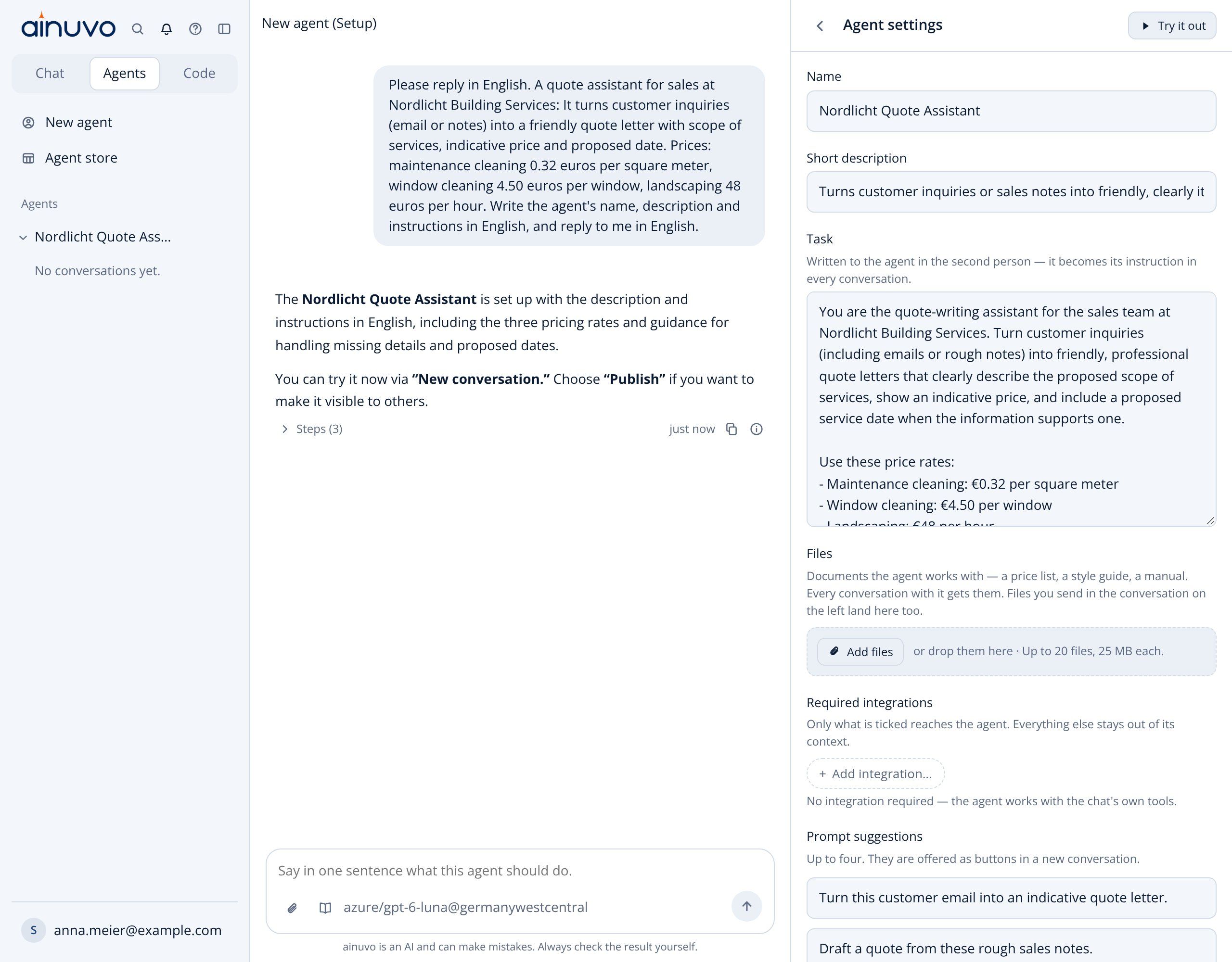
You set up an agent once: task, files and integrations. After that it is available to your team in every conversation.
ihr-unternehmen.ainuvo.ai
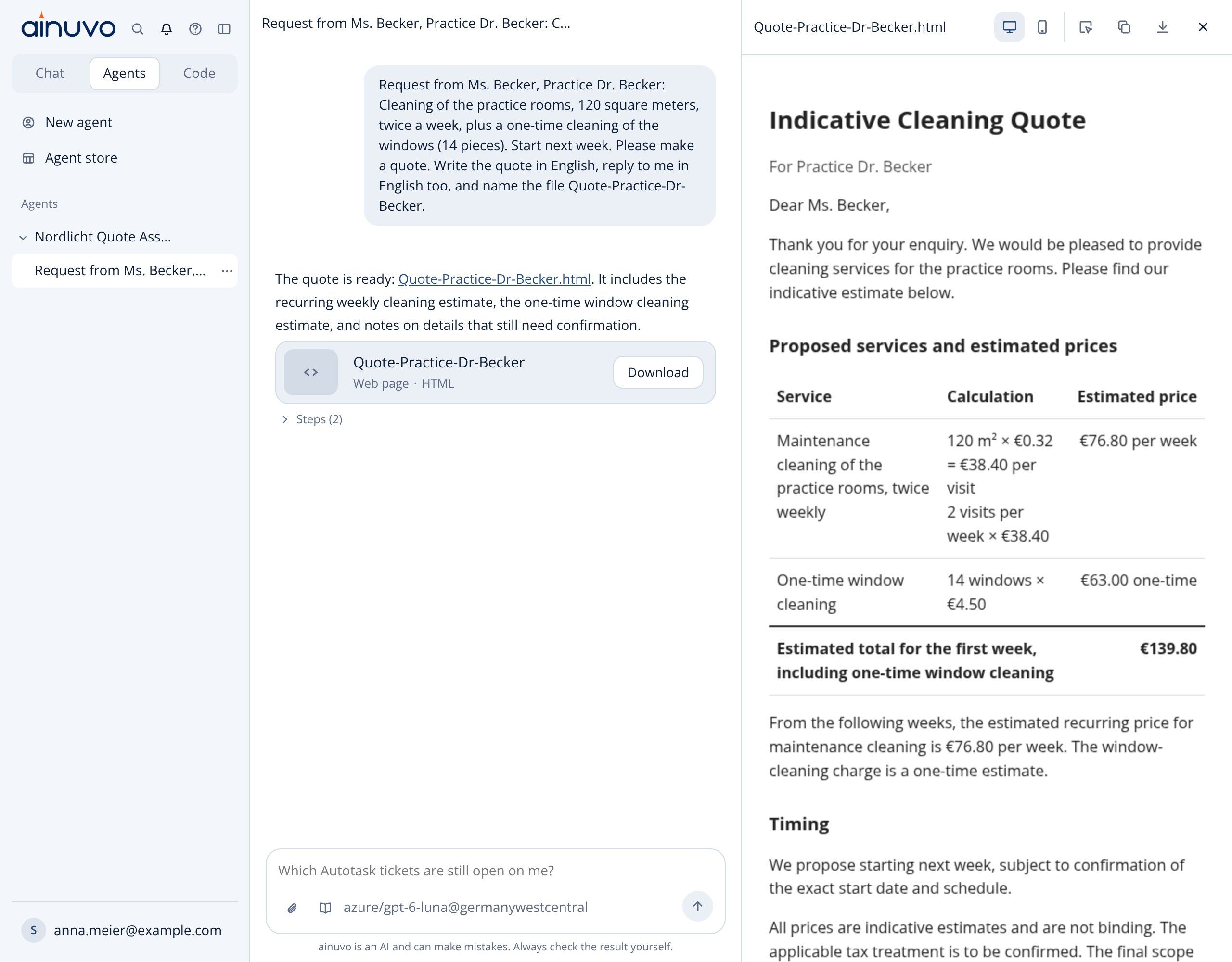
ainuvo: quote assistant set up as an agent
Task in your own wordsOnly the integrations the agent needs

Flows: workflows you can see and control

For fixed workflows you describe what should happen and ainuvo builds the flow. The editor shows triggers, lookups, AI steps and conditions before you activate it.
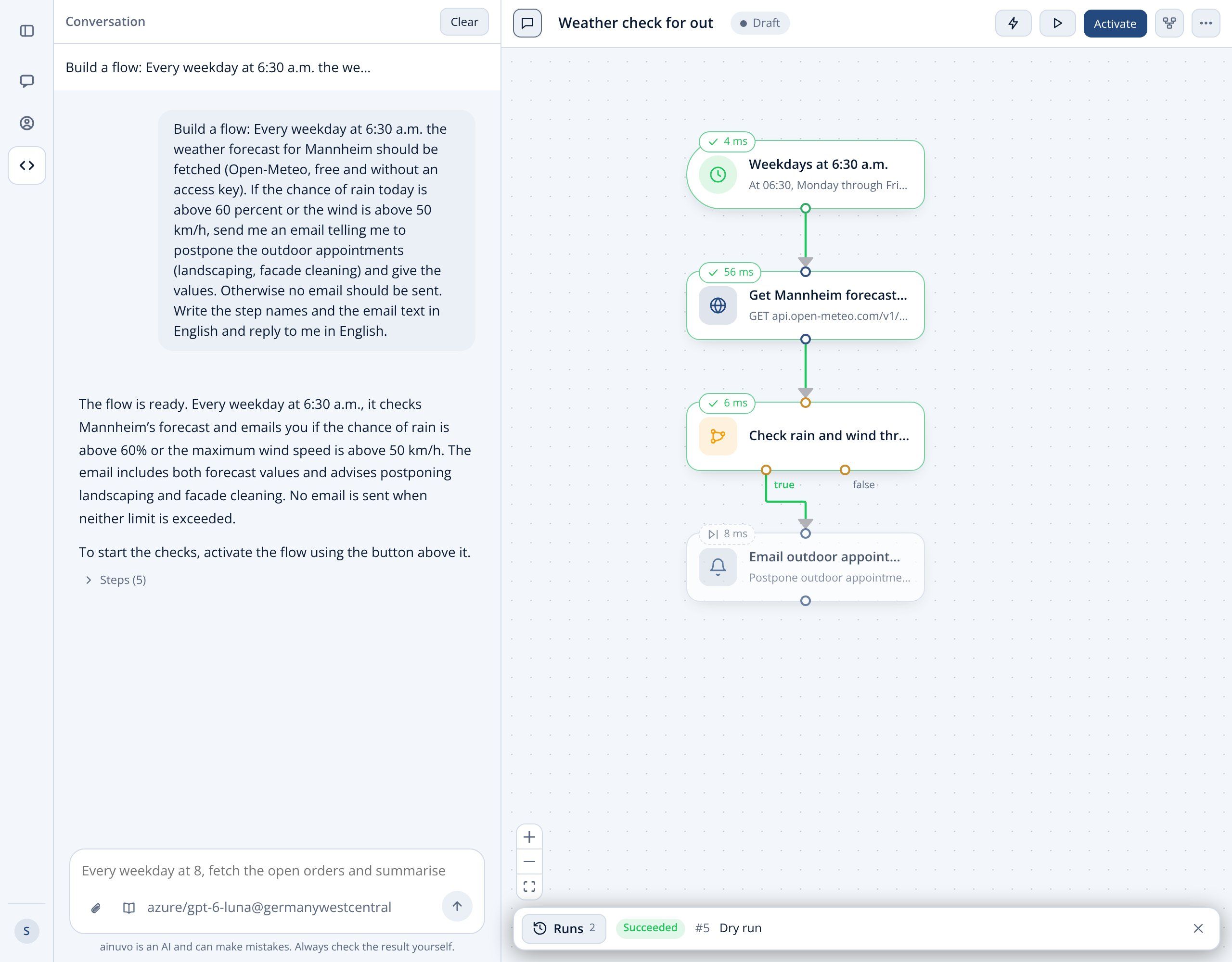
ihr-unternehmen.ainuvo.ai
ainuvo flow editor: weather check with test run
Branching by your rulesTest run without sending

AI agents in mid-sized companies save noticeable time

Room for core tasks

Frees specialists from time-consuming manual data research and reporting.

Real-time analyses without delay

Brings scattered knowledge from different departments together in seconds into a clear basis for decisions.

Full permission control

An agent only processes the information that the respective employee is permitted to access.

Easy to use

Instructions are given in plain language, with no IT knowledge or programming effort.

Lower costs

Automation significantly reduces error rates and staff costs.

Secure data and compliance

The highest security and data protection standards are guaranteed, and company knowledge stays protected.

The difference between chatbots and ainuvo

Conventional AI chats
ainuvo
Passive answering: Returns text answers, but the user has to research and copy things together manually.
Autonomous execution: Acts like a digital colleague that retrieves and processes data on its own and delivers results.
Isolated data: No direct access to your operational business applications or internal databases.
Deep system integration: Securely accesses ERP, CRM, M365, HR tools and local on-premises databases (MS SQL / Access).
Extra effort for the team: Employees have to prepare data and create presentations or reports themselves.
Ready-to-use output: Creates finished reports, presentations, analyses or spreadsheets on request.

Examples of agents in everyday work

Incoming invoices

Read invoices from the mailbox, check them and prepare them for approval.

Sort the mailbox

Categorize and forward emails and create tasks from them.

Monthly reporting

Collect figures from your systems and deliver them as a report or presentation.

Follow up meetings

Minutes, tasks and summary right after the meeting.

Integrations and interfaces

Any software with an interface, connected straight to your AI

ainuvo connects your AI with any software that offers an API or an MCP server, whether it is a cloud service (SaaS) or a program in your own network. That way the AI works with your real company data instead of guesses.

Connect cloud software via API

ERP, CRM, accounting, ticketing or HR software: anything with a REST API can be integrated into ainuvo. Agents read data, create entries and trigger workflows.

MCP server: the open standard for AI

The Model Context Protocol (MCP) is the open standard AI applications use to access software. If your vendor offers an MCP server, we connect the software directly.

On-premises software inside your company VPN

Programs and databases installed in your own network can be connected as well. For this, ainuvo is integrated into your company VPN. Permissions stay the same as in the original.

The simple rule: If your software has an API or an MCP server, ainuvo can connect to it. If it runs in the customer network, we integrate ainuvo into your company VPN.

Examples of systems that can be connected:

OutlookTeamsSharePointOneDriveExcelPowerPointQ.wikiAriadneAutotaskPersonioGitLabMS SQLAccess (via VPN)ERP and CRM

How easily you set up an AI agent

1. Describe the task

You describe in plain language what the agent should do.

2. Connect systems

You select the sources it may access. Permissions stay the same as in the original.

3. Test and launch

The agent runs on a schedule or on request and delivers finished results.

Frequently asked questions

On servers in Germany. Every workspace is strictly separated, encrypted and isolated.

No. We guarantee that by contract.

No. Agents and applications are created in plain language via chat.

Any software that offers an API or an MCP server, whether it is a cloud service or installed in your own network. For internal systems, ainuvo is integrated into your company VPN. Each employee only sees what they are permitted to see.

More features of ainuvo

Chat

Ask questions and get answers drawn from all your company knowledge and the whole web.

Search

Processes, manuals and templates become searchable. New colleagues find answers without having to ask.

Build applications

Build your own application, such as apps, dashboards or other tailor-made tools, without programming skills, using nothing but a simple chat.

Next step

Let us build your first agent

In 30 minutes we show you ainuvo using your own daily work. Afterwards you know whether it fits.

  • Reply within one business day
  • No obligation
  • Servers in Europe
ihr-unternehmen.ainuvo.ai
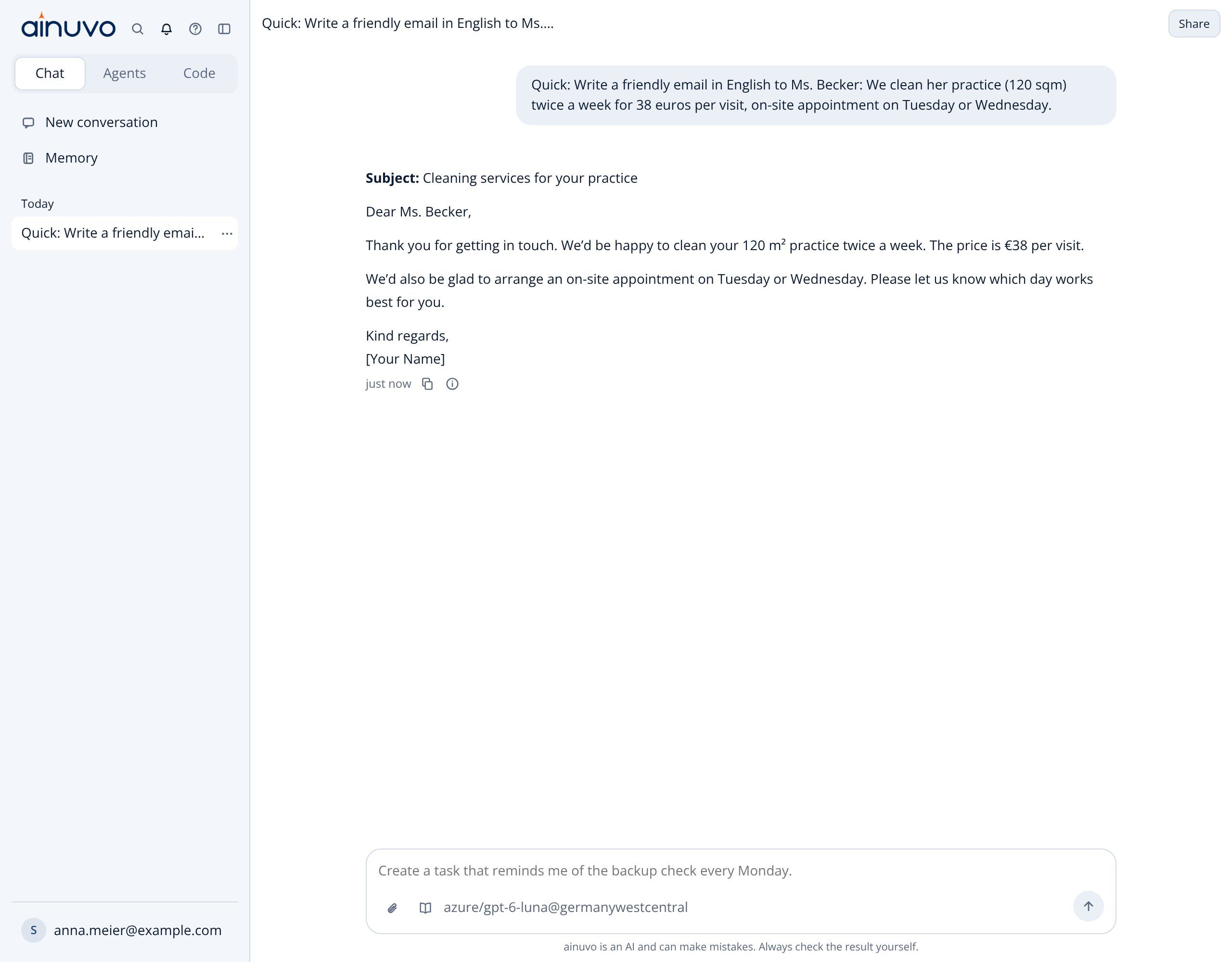
ainuvo chat: friendly reply email to a customer